
Description
Yearly Calendar Website Source Code – HTML, CSS & JavaScript
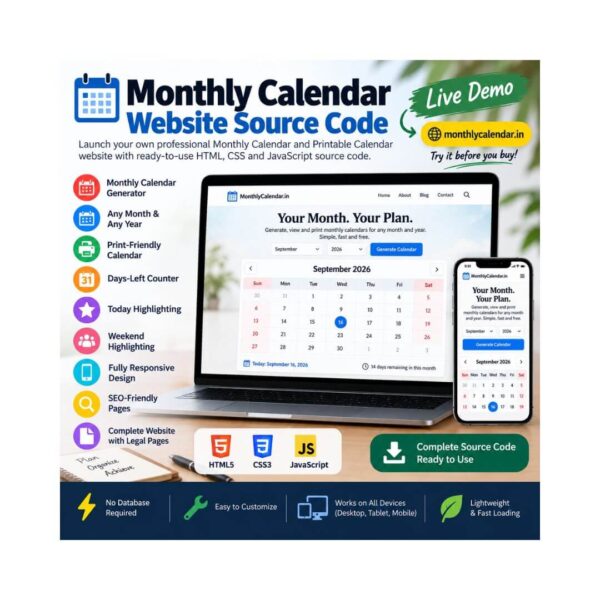
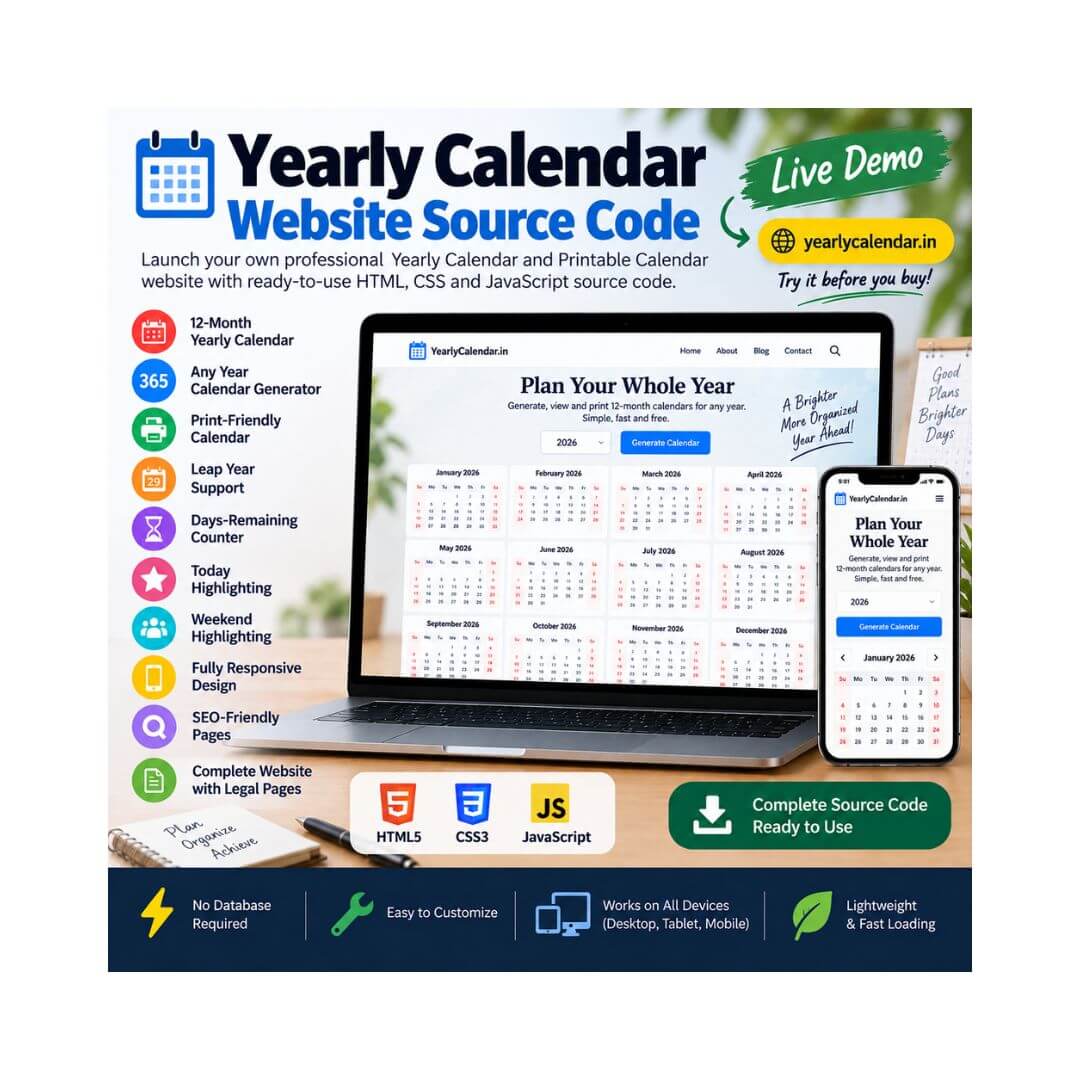
Launch your own professional Yearly Calendar and Printable Year Planner website with this ready-to-use source code.
The Yearly Calendar Website Source Code is a modern, responsive and SEO-friendly static website designed for anyone who wants to launch their own online yearly calendar, full-year planner or printable calendar website.
The website includes a fully functional 12-month yearly calendar generator where visitors can enter any year and instantly view all twelve months together. The calendar automatically handles leap years, highlights the current date, distinguishes weekends, displays the number of days remaining in the current year and provides a clean print-friendly layout.
Built with HTML, CSS and JavaScript, this lightweight website requires no database, PHP, WordPress or complicated framework. Simply upload the source files to your hosting account and customize the branding, content and domain.
🌐 Live Demo
Want to see the website in action before purchasing?
Live Website / Demo:
https://yearlycalendar.in
Visit the live website to test the full 12-month calendar generator, year selection, leap-year detection, days-left counter, print functionality and responsive design.
Key Features
📅 Full 12-Month Yearly Calendar
Display all twelve months of a selected year together in a convenient year-at-a-glance layout.
🔢 Any Year Calendar Generator
Users can enter any year and instantly generate the complete yearly calendar.
The website supports years from the past as well as future years.
🖨️ Print-Friendly Year Calendar
The built-in Print button opens a printer-friendly layout of the complete twelve-month calendar.
Perfect for:
- Wall planners
- Desk planners
- Office calendars
- School planning
- Annual planning
- Printable calendar inserts
🐸 Automatic Leap Year Detection
The calendar automatically determines whether the selected year is a leap year.
It correctly follows the standard Gregorian leap-year rule:
- Divisible by 4
- Century years require divisibility by 400
The website displays whether the selected year contains 365 or 366 days.
⏳ Days-Remaining Counter
For the current year, the website automatically calculates and displays the number of days remaining.
When viewing another year, it displays the total number of days in that year.
📍 Today’s Date Highlighting
When the current year is displayed, today’s date is automatically highlighted within the yearly calendar.
🗓️ Weekend Highlighting
Saturday and Sunday are visually distinguished from regular weekdays, making the yearly calendar easier to scan.
📱 Fully Responsive Design
The website is designed to work across:
- Desktop computers
- Laptops
- Tablets
- Mobile phones
⚡ Lightweight Static Website
Built with standard HTML, CSS and JavaScript, the website is lightweight and fast-loading.
No database or server-side application is required.
🚀 No Build Process Required
There is no complicated installation or compilation process.
Simply upload the files to your hosting server and customize the website.
🔍 SEO-Friendly Structure
The website includes SEO-focused elements such as:
- SEO title
- Meta description
- Meta keywords
- Canonical URL
- Open Graph metadata
- Twitter Card metadata
- Schema.org structured data
- WebApplication schema
- FAQPage schema
- Sitemap
- Robots.txt
- Clean HTML structure
❓ FAQ Section
The website includes a dedicated FAQ section covering common questions about:
- Using the yearly calendar
- Leap years
- Printing the full-year calendar
- Generating past and future years
- Yearly calendar usage
FAQ structured data is also included in the source code.
📚 Educational Calendar Content
The website includes helpful content covering topics such as:
- How to use a yearly calendar
- How leap years work
- Why some years have 366 days
- Solar vs. lunar years
- Why the year starts in January
- Yearly planning
- Quarterly planning
- Fixed dates and deadlines
- Academic planning
- Business planning
- Wall and desk planners
This provides additional content for users as well as opportunities for search-engine visibility.
📄 Complete Website Pages
The source code includes important supporting pages such as:
- Home Page
- About Us
- Contact Us
- Privacy Policy
- Terms & Conditions
- Disclaimer
- Cookie Policy
- 404 Error Page
What’s Included
You will receive the complete website source code, including:
index.htmlabout.htmlcontact.htmlprivacy-policy.htmlterms.htmldisclaimer.htmlcookie-policy.html404.htmlcss/style.cssjs/script.jsrobots.txtsitemap.xmlREADME.md
The source code is organized into separate HTML, CSS and JavaScript files for easier customization and maintenance.
Perfect For
This source code is suitable for:
- Website developers
- Bloggers
- SEO publishers
- AdSense publishers
- Affiliate marketers
- Calendar website owners
- Printable calendar websites
- Productivity websites
- Planning websites
- Education websites
- Business planning websites
- Utility website owners
- Entrepreneurs
- Web designers
Possible Uses
You can customize the source code and create your own:
Yearly Calendar Website
Annual Calendar Generator
Printable Year Calendar
Full-Year Calendar
Year Planner
Annual Planner
Business Year Planner
School Year Planner
Academic Year Calendar
Wall Calendar Website
Productivity Calendar
Annual Planning Tool
You can also customize the branding, colors, typography, content and domain name to create your own unique calendar website.
Technology Used
The website is built using standard web technologies:
- HTML5
- CSS3
- JavaScript
- Responsive Web Design
- Browser-Based Calendar Generation
- Browser Print Functionality
- Schema.org Structured Data
No WordPress, PHP, MySQL database or external framework is required.
Easy to Customize
The source code can be customized to change:
- Website name
- Logo
- Brand identity
- Colors
- Typography
- Page content
- Navigation
- Footer
- SEO metadata
- Calendar styling
- Domain URL
- Contact information
Developers can also extend the existing functionality and add additional calendar features.
Why Buy This Source Code?
Building a complete yearly calendar website from scratch requires time for designing the interface, developing the 12-month calendar logic, implementing leap-year calculations, creating responsive layouts, adding print functionality and preparing SEO and legal pages.
This source code provides a ready-made foundation that can be installed, customized and expanded for your own website project.
Instead of starting from scratch, you get a complete working yearly calendar website with the core functionality already developed.
Installation
Getting started is simple:
- Download the source code ZIP file.
- Extract the files.
- Upload the files to your web hosting account.
- Update the domain and website information where required.
- Customize the branding and content.
- Your Yearly Calendar website is ready to launch.
No database setup required.
Important Information
This is a website source code package, not a hosted website or SaaS subscription.
Basic knowledge of HTML, CSS and JavaScript is recommended for advanced customization.
You are purchasing the source code files required to run and customize the website. Domain, hosting and third-party services are not included.
🌐 Live Website
Try the complete working website before purchasing:
Explore the live yearly calendar generator, enter different years, check leap-year calculations, view the full 12-month calendar and test the print functionality.
Build Your Own Yearly Calendar Website
Get the complete Yearly Calendar Website Source Code and launch your own calendar, printable planner or annual planning website.
Ready-to-use. Responsive. SEO-friendly. Lightweight. Easy to customize.
🌐 Check the Live Demo
Get the Yearly Calendar Website Source Code today and start building your own full-year calendar website.